
Originally branded as *da Vinci Resolve*, the first iterations of this resolution-independent software were developed by **Coral Springs, Florida-based da Vinci Systems**, a company that had previously released color correction tools like the *da Vinci Classic (1985)*, *Renaissance (1990)*, and *2K (1998)*. Some programs—like *Fusion* and *Fairlight*—were once standalone applications before being merged into the main platform. The **Studio edition** goes beyond 4K, supporting resolutions up to **32K** and frame rates as high as **120 fps**, alongside **10-bit video processing, GPU acceleration, 3D stereoscopy, HDR color grading, collaborative features, extra plugins, and AI tools**.
For YouTube creators, the best video editing software depends on the complexity of the content. AI video editing software uses artificial intelligence to automate tasks such as scene detection, background removal, color correction, and even generating subtitles. For Windows users, Movavi Video Editor provides an accessible interface with robust features to get started.
**Pinnacle Studio** caters to offline editors seeking a **timeline-centric approach**, emphasizing **quick project organization and intuitive editing tools**. It offers **desktop video editing** for **offline workflows, motion tracking, multicamera editing, and visual effects**. **Kdenlive** is a **timeline-based offline editor** with **track-oriented editing** and a **traditional NLE layout**.
You can either **install it locally on your desktop** or **access it via web browser** by creating an account. If you’re searching for a **Microsoft alternative** to *Windows Movie Maker*, **Clipchamp** might be the ideal replacement. Older hardware may struggle with **newer software**, leading to **performance issues, bugs, or outright incompatibility**.
.. a user interface that’s built for creatives
The newest release enables **video effects, 3D title animations, and dynamic visual enhancements** to elevate your projects. For free Photoshop alternatives instance, **Shotcut** lets you **design custom transitions** by either **importing graphics from other programs or generating them on-the-fly** using drag-and-drop. Alternatively, you can **upgrade to Adobe Creative Cloud** (available with **65% off**) for **monthly access to Adobe’s entire stock media library**. We’ve compiled the **best Descript alternatives** to help you **streamline video and audio projects** through **transcript-based editing**.
If you’re producing videos for large screens, you’ll need to upgrade. Overall, it’s a simple but powerful piece of software that can add polish to any marketing video. Lightworks includes a simple and intuitive interface, so it’s easy to pick up and use. With smart copy, select a group of attributes and apply them to several clips or the entire project. (HitFilm does ask you to share a social media status update when you download the software, but that’s a small price to pay.) It’s used to produce Hollywood-style films, but it’s worth the learning curve, as it’s the best all-in-one free video editor available.
Step-by-Step Guide to Using Windows Video Editor
The software **automatically optimizes exports** for each platform’s **recommended settings**, **removing manual conversion hassles** and **saving time**. **PowerDirector** handles **major formats**, including **MP4 (H.264/H.265), MKV, WMV, and MPEG-2**, with **output support for up to 4K**. Users can choose between a **one-time purchase (lifetime license) for PowerDirector 2027** or a **PowerDirector 365 subscription**. The **free version** restricts **advanced AI features and certain exports**, but you can **switch to the paid plan** anytime for **full functionality**. **PowerDirector** stands out as the **top-tier prosumer editing software**, earning **five-star Editors’ Choice honors** due to its **user-friendly design and unmatched capabilities**. **PCMag** named **PowerDirector 365 the Best Overall in 2026**, awarded it a **perfect 5.0 score**, and has recognized it as an **Editors’ Choice** annually since **2011**.
Comparison of the Top Video Editing Tools
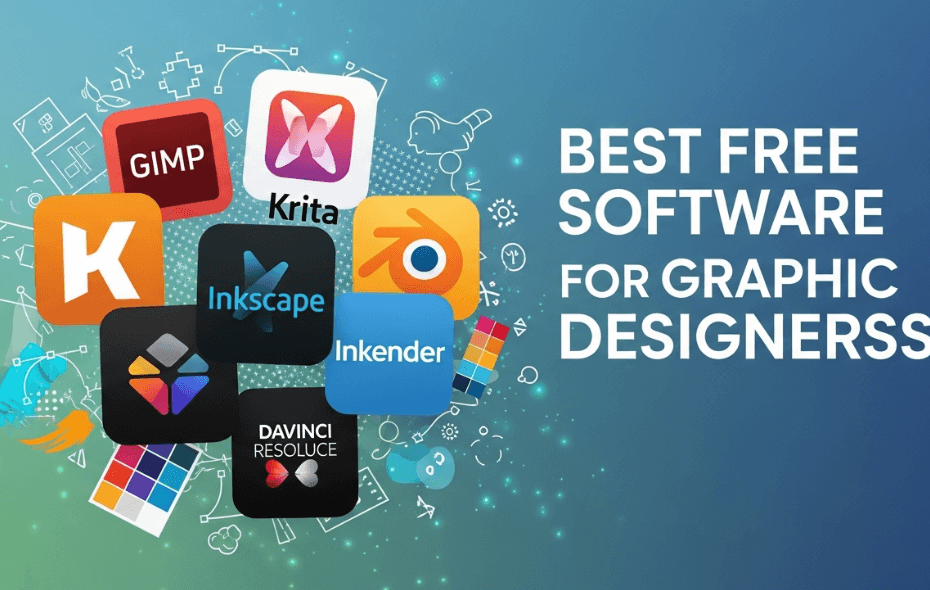
Mid-range video editing software bridges the gap between professional and entry-level solutions, offering robust features while maintaining accessibility for enthusiast editors. Before diving into specific recommendations, it’s important to understand the main categories of video editing software available today. You can sync all projects across mobile and desktop with over 100GB of cloud storage. You can start free with unlimited exports and access to the free music library.
If your priority is **affordable, beginner-friendly software**, then **Apple’s iMovie** might be the perfect fit. While this **consumer-grade editor** won’t meet **professional demands**, it still delivers **a robust feature set** for most users. **Mac users are left out**, but **PC owners can benefit from this budget-friendly tool** to produce **high-quality home videos**. From the start, the company’s goal has been to **democratize video editing and distribution**, and the interface reflects that philosophy. The shift toward **post-pandemic video content** has given **Movavi** a competitive edge in the **crowded video editing market**. It also includes **pre-loaded visual effects** that are **quick to apply**.
The key consideration for free exports is **what resolution, watermarks, and assets you can use**. For your **first project**, opt for **Clipchamp (web-based) or iMovie (Apple devices)** for simplicity. Unlike **Shotcut (MLT-based)**, **OpenShot** relies on the **C++ libopenshot library**. **Download and install this free video editor today**—then **create stunning videos**! Additionally, **preset resolutions** are available, making it **easy to optimize videos** for **YouTube, TikTok, Facebook, and other platforms**.
If you’re looking for something more substantial than iMovie, but don’t want to tackle the learning curve of a professional editor like DaVinci Resolve or Adobe’s own Premiere Pro, then Premiere Elements is worth considering. Simple video editing software that can get unnecessarily complicated the deeper you dive With a core interface that’s very similar to much of the more premium competition, it’s a great gateway editor for beginners to get started with. Its image-heavy user interface might have startled seasoned video editors when it was first introduced but for anyone just starting out in video editing who wants a more professional program, it makes the process a lot simpler.
**Shotcut** is a **completely free editor** that **supports diverse formats and 4K resolution**. You’ll find **audio/video effects, text tools, transitions, a preview window, storyboard, and a media library**. Beyond editing, **Cinelerra** allows **advanced compositing**, including **mattes and chroma keying**. **Kdenlive** is an **open-source video editor** built on the **MLT Framework**.